Author: Dyd Services

  • How Scan to BIM Can Save Your Time and Money

    How Scan to BIM Can Save Your Time and Money

    The construction and architecture industries are still growing in their sectors by incorporating better technologies to complete tasks and make it cheaper. Such are developments like one that has given AEC industry specialists a new name—Scan to BIM.

    Think of it as the power of having too much technical endowment for converting hard-to-crack, long outmoded procedures into efficient procedures that save your greenbacks and time. It is exactly what that is. In this guide, it is going to explain how this technology functions, what the advantages are, and how companies are using it to mitigate some of the sector’s problems that you need to follow the market.

    What is Scan to BIM?

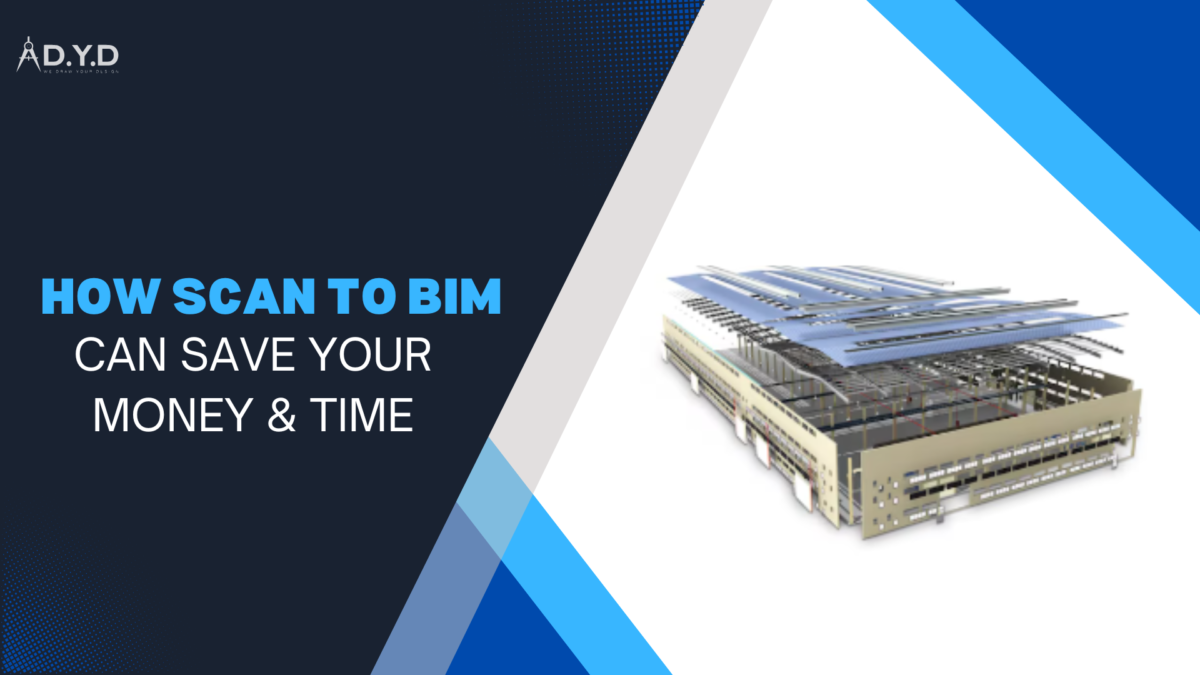
    Scan to BIM is a process of capturing existing physical structures or environments as a 3D information model by the use of laser scanning technology. This model, in this sense, can be treated as a digital representation of the structure with its geometry details and functional elements.

    This innovative process guarantees high accuracy in the representation of existing conditions. This BIM model is enriched with details such as materials, dimensions, and structural features and is invaluable for renovations, retrofits, or new constructions. It is integrated with BIM and can help reduce project workflows and inform decisions.

    How to Perform Scan to BIM

    This technology has several steps involved in performing, which ensures accurate data collection and also efficient model development. Here’s a breakdown:

    • Laser Scanning: Existing structures or sites are captured as point clouds, using advanced laser scanners to do so. According to these scanners, millions of data points are measured with high precision, giving us an accurate digital version of the physical environment.
    • Point Cloud Processing: This point cloud data is collected, processed, and cleaned of noise or irrelevant info. Thus, this makes sure that the data is clean enough to use for the modeling process, skipping past this stage.
    • BIM Modeling: The point that cloud data goes through the processing so we get highly informative data is the BIM model. Tools like Autodesk Revit are used by professionals to integrate architectural, structural, and MEP (mechanical, electrical, and plumbing) details into the model to meet project-specific requirements.
    • Validation and Quality Control: To achieve this, the final BIM model is heavily validated against built site conditions. This step enables us to ensure that the model reaches the required level of detail for BIM. This allows professionals to bridge the gap between physical structures and digital models and better collaborate. 

    What is the value of BIM in the AEC industry?

    The AEC industry relies so heavily on accurate and efficient workflows to complete projects on time and within budget that it’s of absolute importance that we maintain and promote industry standards. Here’s how Scan to BIM technology adds value:

    • Enhanced Collaboration: It harmonizes the various discipline BIM models to a centralized platform for stakeholders to work on seamlessly. With this, everyone is working on the same up-to-date and accurate information throughout the project life cycle, eliminating miscommunication.
    • Reduced Rework and Errors: Existing site conditions can be captured with high precision using accurate laser scanning, greatly reducing the possibility of errors. It keeps from requiring costly rework during construction or renovation phases and saves both time and resources.
    • Optimized Project Planning: It incorporates highly detailed and accurate existing conditions to give realistic scheduling, efficient resource allocation, and better budget management on successful project execution.

    Problems That Scan to BIM Can Solve

    It tackles several challenges faced by the construction and design industry.

    • Inaccurate As-Built Documentation: Some existing structures are too difficult to document, or the traditional methods of doing so are too imprecise. Detailed and precise documentation from this tool gives reliability to on-site conditions.
    • Time-Consuming Renovation Planning: Manual capture of existing conditions for renovation or retrofit projects can be a very laborious and error-prone task. It also speeds up this process through high-speed, accurate data collection, which saves a lot of time.
    • Coordination Issues Among Teams: The reason is that the teams aren’t aligned. Laser scanning of the facility generates BIM models that are shared by all stakeholders with the same accurate and reliable data, and coordination is effortless.

    Why Accuracy Matters in Scan to BIM

    The use of BIM models can directly impact the accuracy, and therefore the usability and success of the project. The precision of laser scanning ensures that the models created with this technology are very reliable and mirror site conditions. For large-scale projects, which is often the case, even a slight error can have a big negative impact on cost and time, so it’s particularly important.

    Project-specific requirements are met using accuracy. For example, maintaining the right level of detail in BIM so that the model is not overloaded with unnecessary information nor lacking essential data. This equilibrium allows for a cleaner project execution by allowing stakeholders to always have just the right amount of detail at each stage.

    Additionally, accurate Scan to BIM models provide an accurate representation of existing conditions in order to assist with decision-making. This accuracy ends guesswork for renovation, retrofit, or new construction; planning and resource allocation between the parties are all better. Of course, it allows teams to work better, as everyone can see the same reliable, consistent data.

    Then, precision in these models reduces the risk of errors and rework. The process captures every detail accurately, thereby minimizing disruption to construction and ensuring that projects stay on schedule and within budget. As a result, it is highly valuable to the modern BIM process to focus on accuracy through its use.

    Conclusion

    The Scan to BIM approach to construction and design projects continues to be rapidly adopted within the AEC industry. By integrating state-of-the-art laser scanning technology with the BIM process, this method achieves extremely accurate, efficient, and low-cost results. As it does say on the tin, it solves many of the traditional pain points in project planning and execution and is a key resource for professionals.

    Creating precise and detailed 3D models from existing structures is not only time-saving, but it also saves costs by reducing guesswork and rework. Additionally, the BIM model is a collaborative, largely transparent tool that promotes informed and consistent decisions among teams throughout the project lifecycle.

    Regardless of whether it’s a renovation, retrofit, or new construction, it has the tools you need to thrive in the competitive marketplace of today. Get on board with this technology to improve your workflows, increase your project outcomes, and stay competitive in the dynamic AEC market.

    FAQs:

    1. What is Scan to BIM?
      Scan to BIM is the process of converting laser-scanned data into a 3D Building Information Model (BIM) for accurate design and construction workflows.
    2. How does Scan to BIM save time?
      It accelerates data collection, reduces on-site visits, and eliminates manual surveying, speeding up project timelines.
    3. How does Scan to BIM reduce costs?
      By minimizing errors, rework, and unnecessary material use, it significantly cuts project expenses.
    4. Can Scan to BIM improve project accuracy?
      Yes, it provides highly detailed as-built models, ensuring precision and preventing design clashes.
    5. Is Scan to BIM suitable for small projects?
      Absolutely! It enhances accuracy and efficiency for projects of any size, from homes to large commercial buildings.
    6. How does Scan to BIM help with renovations?
      It captures existing conditions, creating a precise base model that ensures better planning and cost control during renovations.
  • LOD in BIM? A Guide to Levels of Development

    LOD in BIM? A Guide to Levels of Development

    Have you ever wondered how complex architectural designs, that start as ideas, transition to functional structures? The answer is Building Information Modeling (BIM), a powerful tool that unites design and construction and how it can be incorporated to create positive change both in the workplace and in design and construction processes. This fundamental aspect of LOD in BIM determines how much information is present in a model throughout different stages of a project.

    In this article, we’ll discuss BIM in terms of levels of detail and how they play a role in construction projects. This guide will be helpful to you no matter if you are a seasoned professional or are new to the field—whether you simply don’t understand LOD or need an introduction to it.

    What is LOD in BIM?

    Levels of Detail in BIM is the degree of precision and the amount of detail provided to 3D models as they pass through various stages of a project. Different LODs represent ways to share information about building components and systems. However, it plays a crucial role in BIM working, as you will see that it will affect the design, construction, and operation of every single aspect.

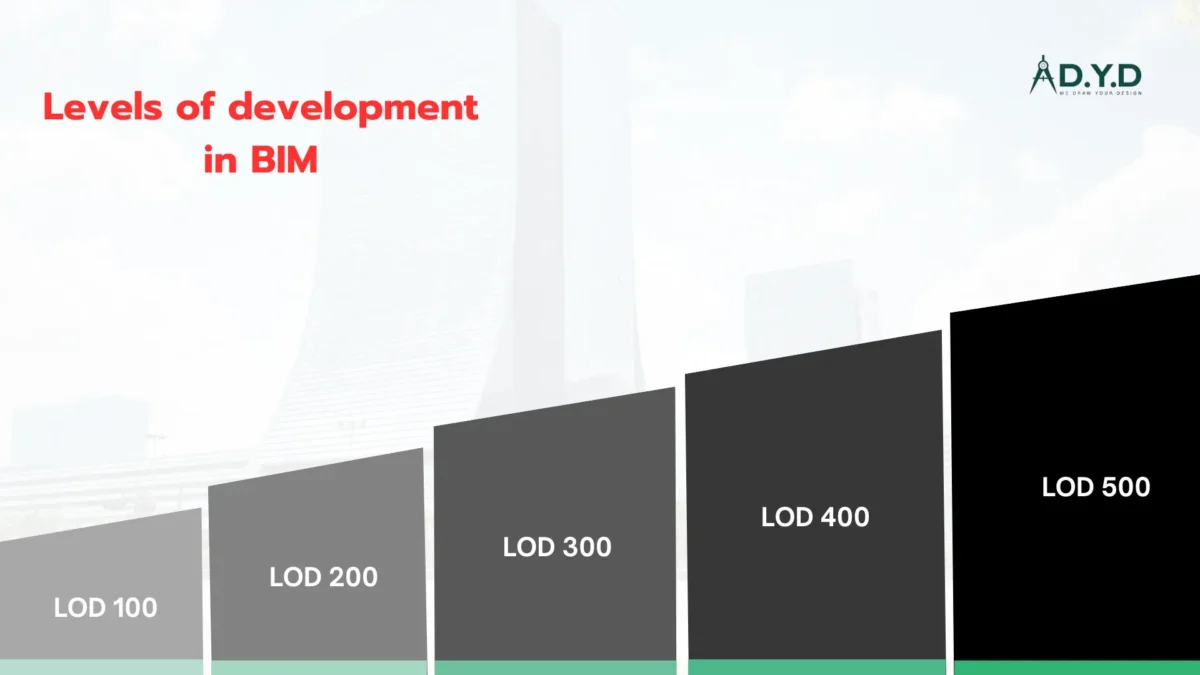
    There are several stages of LOD: We range from simple geometric representations at LOD 100 to highly detailed models at LOD 400 and 500. In this system, architects, engineers, and contractors can work together effectively and ensure that each time there is the right information for each to make an informed decision.

    The Origin of LOD:

    Levels of Development were devised in the 1970s and have changed substantially since then. The need for a standardized language to specify the amount of detail in 3D models grew as capabilities of technology increased. Building Model Process (BMP) started the discussion about how the different parts of a building could be included in architectural models.

    The American Institute of Architects (AIA) started formal definition of LOD in 2009 with the introduction of its BIM protocol. This made the expectation to understand the detail and information available at each stage of the lifecycle of a building project clearer. Understanding the history of LOD is vital for professionals as more and more of the industry adopts and embraces BIM in order to better collaborate and communicate.

    The goal of this system is to ensure clear communication between architects, engineers, contractors, and owners so that expectations for the model’s detail are defined at various project stages. LOD in BIM can aid project efficiency, reduce errors, and lead to better decisions from the design phase through construction and even facility management.

    BIM Levels of Development (LOD) Defined by AIA:

    In the AIA framework, LOD is broken into five main levels, one for each main phase of the building’s life cycle. These levels define the progression of detail and data accuracy in a BIM model:

    • LOD 100 (Conceptual Design):

    This model is basic in terms of geometric shapes and placeholders. Rough layout and massing studies are used to assess project feasibility. As an initial design discussion tool, LOD 100 is useful for giving you a general idea of the project without forcing you to nail down every detail. This stage allows stakeholders to evaluate the site at a high level and set project goals.

    • LOD 200 (Schematic Design):

    The model inhere becomes more specific with approximate dimensions, spatial relations, and general locations. With sufficient accuracy, elements are modeled for early design decisions, cost estimates, and preliminary analysis. While the LOD 200 remains generic, it is much clearer about what the building will look like and how it will function, allowing stakeholder input into refining concepts and moving toward detailed design.

    • LOD 300 (Detailed Design):

    The LOD 300 marks a big step forward in precision. Exact dimensions, materials, and spatial relationships are for components. This stage gives enough detail to achieve construction permits, prepare detailed drawings, and manage across disciplines. This agreement makes sure to build the model so that contractors can estimate the cost of the project and can prepare for the construction.

    • LOD 400 (Fabrication and Construction):

    The model is enhanced with fabrication and assembly details at this level. It consists of manufacturing specifications as well as instructions for installation. LOD 400 supports actual construction, so that everything in the building can be constructed. This stage is critical to contractors’ precision resource allocation and on-site execution.

    • LOD 500 (As-Built Model):

    The completed project is LOD 500. It consists of verified dimensions, materials, and specifications of the actually built construction. It is invaluable for facility management since it gives accurate data for maintenance and repairing and for future upgrades. The as-built model provides a facility to efficiently manage the building’s lifecycle.

    The Role of LOD in BIM:

    The Building Information Modeling (BIM) and the different LOCs and Development (LOD) are very important throughout the product life cycle. Here’s how LOD contributes at various stages:

    • Enhanced Communication: With LOD, a project standardizes the information that stakeholders are sharing with each other, thereby reducing misunderstandings and ensuring everyone is working with the same set of facts. This promotes consistency and collaboration in the project lifecycle and better efficiency.
    • Accurate Cost Estimation: It makes accurate material takeoff and cost estimating possible by specification of level of detail at that stage. This helps minimize cases where there are additional costs incurred that were not planned for, and people can view the accounts.
    • Efficient Resource Allocation: It guarantees that the labor, materials, and equipment are assigned optimally. It reduces waste and makes sure the resources in use during a project are utilized properly.
    • Informed Decision-Making: Benchmarks for detailed design and construction provide stakeholders clarity for informed design and planning decisions, lowering the risk of costly rework.
    • Lifecycle Management: With LOD 500, the as-built model is detailed, and it is valuable for facility management. This allows for easy maintenance, streamlines renovations, and will guarantee the building’s longevity in the future.

    Difference Between Level of Detail and Level of Development:

    Although they are often used interchangeably, Level of Detail (LoD) and Level of Development (LOD) have distinct meanings. Here’s a detailed comparison:

    AspectLevel of Development (LOD)Level of Detail (LoD)
    MeaningRefers to how developed and accurate a building model or design is at a particular stage.Refers to the amount of detail included in a design or model.
    PurposeHelps to define the stages of progress in creating a building model.Ensures that the right amount of detail is added depending on the project needs.
    FocusFocuses on the progress or completeness of the design over time.Focuses on how detailed each component of the model is, such as textures or specific features.
    ApplicationUsed throughout the design and construction process to measure how far along a project is.Used to ensure that the model is detailed enough for its intended purpose, whether for visualization or construction.
    MeasurementMeasured by the level of information and accuracy in the model at each stage.Measured by how detailed the model is, such as the resolution of textures or parts.
    Stage ExampleLOD 100 (conceptual) to LOD 500 (as-built).Level of detail might range from a simple outline (low detail) to a fully textured, realistic model (high detail).
    AudienceProject teams, including architects and engineers, use LOD to understand how complete the design is.Visual designers and construction teams use LOD to ensure the model’s detail fits the task.

    By clearly distinguishing between these two aspects, stakeholders can ensure that their BIM models meet project-specific requirements effectively.

    Conclusion:

    LOD in BIM is an indispensable framework for the evolution of 3D models in the building lifecycle. It aligns expectations; it enhances collaboration, and it supports decision-making to ensure that projects are delivered on time, on budget, and at the highest quality. If you are an architect, engineer, or facility manager, understanding and applying LOD will greatly enhance your project outcomes.


    FAQs:

    1. What is LOD (Level of Development) in BIM?
      LOD specifies the level of detail and accuracy available for a BIM model from conceptual design (LOD 100) to as-built information (LOD 500).
    2. What are the different levels of LOD in BIM?
    • LOD 100: Conceptual design.
    • LOD 200: Approximate geometry.
    • LOD 300: Precise geometry.
    • LOD 400: Construction details.
    • LOD 500: As-built model.
    1. Why is LOD important in BIM?
      Lod ensures that the base of detail is exactly right at each phase of the project to improve communication, decrease errors, and speed up projects.
    2. How does LOD impact project costs and timelines?
      Errors caused by BIM using inadequate LOD can be decreased by 30-40%, saving costs and making deliveries on time.
    3. Is there a statistical advantage to using higher LODs in BIM?
      Projects with LOD 400 and 500 can cut project duration by 15% and costs by 20%, thanks to more accurate planning and execution.
    4. How does LOD in BIM relate to construction accuracy?
      Higher LOD provides more accurate data, reducing on-site changes and delays.
    5. What percentage of AEC professionals use LOD in their BIM workflows?
      Over 60% of AEC professionals use LOD in their BIM workflows, showing its growing importance.
  • 5 Dimensions of BIM: Redefining Build and Design

    5 Dimensions of BIM: Redefining Build and Design

    Building information modeling is a digital representation of physical and functional characteristics of a facility. The creation and management of a 3D model that contains all necessary data and information over the entire life of a building, from the design and construction to the operation and maintenance, is involved.

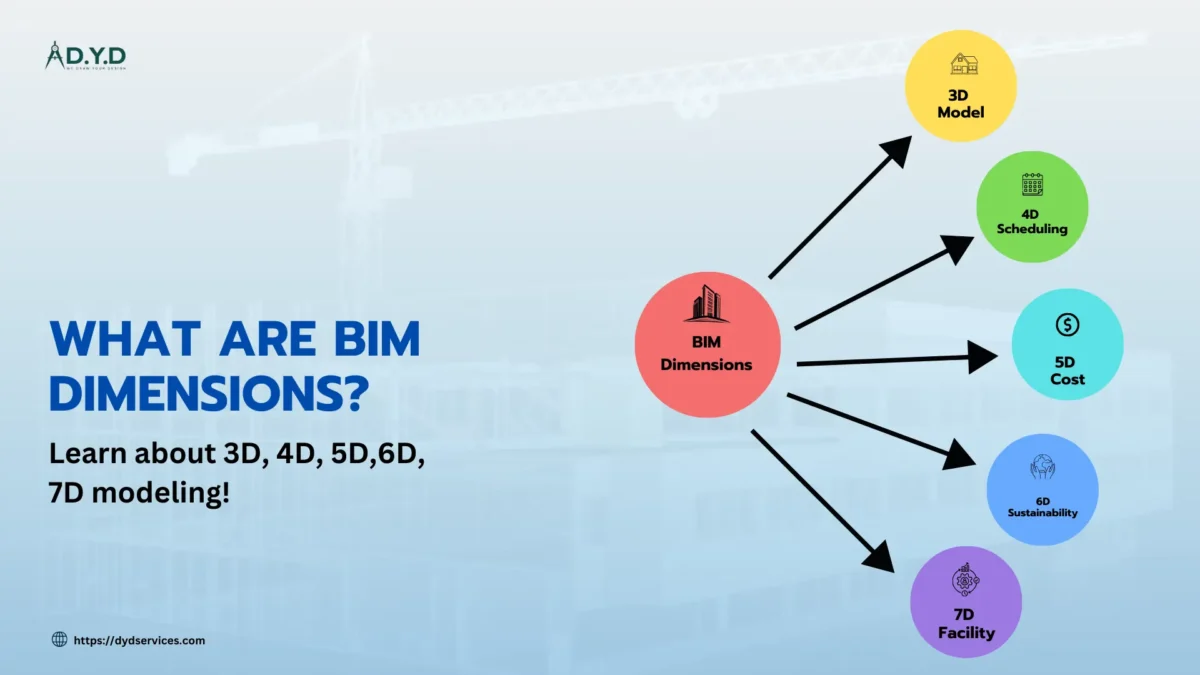
    Through its multidimensional approach, it makes its users more efficient, collaborative, and accurate with their data across the project lifecycle. It would not be possible without the individual dimensions, and each of the dimensions of BIM brings unique capabilities that enable professionals to meet particular challenges and ultimately optimize results. Let’s look at these dimensions and their benefits.

    1. 3D BIM: Visualization and Design

    A building’s physical and functional aspects are visualized through 3D BIM, which creates detailed digital models of a building. It facilitates better collaboration and communication with stakeholders, allows better design accuracy, identifies clashes early, and avoids construction errors and rework, which makes it the first dimension, as it has the clearest representation of a building’s structure.

    Benefits of 3D BIM:

    1. Improved Visualization: It assists stakeholders to appreciate what the construction pharynx is going to look like so that by the time that construction has started, very few changes are likely to occur.
    2. Enhanced Collaboration: This coordinating system is aligned in terms of visibility; all architecture, engineering, and construction teams have one model to work with.
    3. Reduced Errors: The early clashes are identified for the design conflict with potential clashes in order to minimize the construction change cost.

    2. 4D BIM: Scheduling and Time Management

    In 4D BIM, time-dependent data is incorporated into the 3D model, and construction tasks are coordinated with the schedule. And this integration enables the project teams to understand the construction schedules, optimize processes, and manage the resources in an efficient manner. It enables identification of the time risks so as to help improve the planning of a project and deliver the construction tasks in accordance with a schedule in addition to working in a loosely coupled environment with other phases.

    Benefits of 4D BIM:

    1. Better Scheduling: It optimizes the construction timeline through simulation of the construction sequence and allocates the resources efficiently.
    2. Conflict Detection: It helps find scheduling issues before delays and disruptions.
    3. Improved Decision-Making: The visualization of tasks in relation to 3D models does help stakeholders to make better decisions for the project’s efficiency.

    3. 5D BIM: Cost Estimation and Control

    5D BIM has cost information and therefore generates fairly accurate costs of materials and human resources. It offers you leverage on your expenses and enables you to monitor your spending on project work in real time. It also allows the project team to learn about the cost-saving information and control the expenditures and costs within the project by changing the design and construction system.

    Benefits of 5D BIM:

    1. Accurate Cost Estimates: Design is linked to costs for very accurate material, labor, and overhead calculations.
    2. Real-Time Budget Updates: Costs also adjust immediately with design or scope changes, thus the ability of teams to stay within budgets.
    3. Cost Optimization: 5D BIM allows us to find materials cheaper or other methods of construction that are not reflected in quality.

    4. 6D BIM: Sustainability and Energy Analysis

    Energy performance is what guides 6D BIM, as well as the optimization of sustainability. Energy/Environmental modeling provides input on which systems and materials to use, how to achieve compliance with green building standards, and the best methods to reduce carbon emissions and utilize environmentally friendly and energy-efficient construction principles from building design and construction through deconstruction of the building within the life cycle of the building.

    Benefits of 6D BIM:

    1. Energy Efficiency: The pre-design phase of the design of more sustainable buildings entails energy use profiling and choosing energy-effective systems.
    2. Green Certifications: It enables the meeting of green building requirements such as LEED or BREEAM as it offers the chance to include sustainability herein.
    3. Reduced Carbon Footprint: Help design buildings with minimum environmental impact by managing the selection and process of material and constructing techniques and methods of buildings.

    5. 7D BIM: Facility Management

    Facility management information was implemented into the BIM model in the 7D dimension within the FM phase so that information collected serves a purpose of maintaining the building after it is built. It offers the asset information, maintenance schedule, and operations paramount to enhancing the general management in the long run. This in turn decreases the dimension of operational cost, enhances the functionality of the building, and brings early repair and care of the building to increase its durability.

    Benefits of 7D BIM:

    1. Efficient Maintenance: Gives a convenient possibility to get a receipt of maintenance schedules and equipment data and more.
    2. Lifecycle Management: Assists the owners or managers to be able to increase the durability of the building through proper management and early calls for repair and maintenance services.
    3. Cost Reduction: Enhances performance of the building and saves operational costs through monitoring of systems’ operation and usage of energy.

    Conclusion

    The dimensions of BIM provide a holistic, data-driven approach to designing, constructing, and managing buildings. No matter what dimension (whether it’s the visualization of 3D, the time and cost efficiency of 4D and 5D, or the sustainability and facility management aspects of 6D and 7D), it adds value by improving collaboration, decreasing errors, and raising the bar on overall project performance.

    Integrating these dimensions, the architecture, engineering, and construction (AEC) industries are moving towards more sustainable, efficient, and low-cost practices. New dimensions add capabilities and bring forth more comprehensive solutions for the built environment to make BIM evolve.


    FAQs

    • What are the 5 dimensions of BIM?
      The 5 dimensions of BIM are:

      • 3D (Modeling): Physical representation of a project.
      • 4D (Time): Integration of the project schedule.
      • 5D (Cost): Budget estimation and cost management.
      • 6D (Sustainability): Focuses on energy efficiency and environmental impact.
      • 7D (Facility Management): Enhances lifecycle management, including operations and maintenance.
    • How does 4D BIM improve project timelines?
      4D BIM links construction schedules with the 3D model, enabling better planning, resource allocation, and milestone tracking.
    • Why is 5D BIM critical for cost management?
      5D BIM integrates cost data with the model, providing real-time updates on budget impacts due to design changes or material choices.
    • What makes BIM dimensions different from traditional project management tools?
      BIM dimensions provide a unified platform for visualizing, analyzing, and managing multiple project aspects like design, time, and cost, unlike traditional siloed tools.
    • Can adding dimensions to BIM help with risk management?
      Yes, higher dimensions like 4D and 5D BIM help identify potential risks related to scheduling, costs, or design clashes, reducing uncertainties in project execution.
  • Beginner’s Guide to Building Information Modeling (BIM)

    Beginner’s Guide to Building Information Modeling (BIM)

    What is Building Information Modeling (BIM)?

    BIM stands for Building Information Modeling which is a virtual model of the architectural, structural and MEP design of a building. It has revolutionized AEC industries by bringing in new modes of working that are efficient, integrated and accurate for designing, constructing and managing buildings. It is an organic process that involves generation and control of information about a building from its conception to its finality. The information is stored in a spatial model used to represent and define a building and its facilities; its construction, design, systems, and equipment, right down to its use and management.

    BIM is more than traditional blueprints or 2D drawings. It brings data into the design process, so architects, engineers, and contractors can work on up-to-date and accurate information. It enables collaborative work, improves project results, and minimizes errors in the construction process by allowing everyone to access and change the model in real time.

    History of BIM:

    The concept of BIM has evolved drastically. The term ‘BIM’ wasn’t even in use until the late 1990s, but the beginnings of the term can be traced back to early computer-aided design (CAD) systems in the 1960s. These tools initially were used for drafting and design but could not integrate detailed data and simulate the performance of buildings in the real world.

    Early CAD programs were getting underway to digitize architecture and design in the 1970s and 1980s. But it wasn’t until the 1990s that the BIM technology we know today began to appear. With true 3D modeling combined with built-in information about material, structural components, and energy analysis, software like Autodesk Revit and ArchiCAD provided a more realistic, more actionable digital representation of a building.

    How Does Building Information Modeling Work?

    The 3D model of a building in BIM is an integrated model that is detailed. The components of building parts, such as walls, windows, doors, electrical systems, plumbing, and, in short, all components needed to build a building, are taken into account in this model. In contrast to traditional design methods, which split up 2D drawings by discipline (architecture, structure, MEP), all disciplines come together in a single unified model.

    The tools for visualization, simulation, and analysis are provided by BIM software. The model can also be used by designers to visualize the building in a 3D space, simulate how different systems interact, and determine what the potential issues are before a single piece of the building is ever placed. The model can be updated in real time, thus all stakeholders can rely on the latest information. Coordinated by this real-time collaboration, errors are reduced, coordination is improved, and building processes are faster and more accurate.

    Benefits of Building Information Modeling:

    BIM offers numerous advantages for professionals in the AEC industry. Here are some key benefits:

    Enhanced Collaboration and Communication

    BIM enables all parties—architects, engineers, contractors, and clients—to work on one shared digital model that improves collaboration and communication. Updates are real-time so that everyone is on the same page, removing confusion and time delays from outdated information.

    Cost and Time Savings

    BIM creates a clear and accurate digital representation of the building, which reduces the risk of errors and changes in design during construction time. It results in a great cost saving as well as having projects completed on time. In addition, BIM also helps project teams schedule precisely as well as allocate resources more efficiently.

    Increased Accuracy and Reduced Risk

    Features of BIM’s 3D modeling and clash detection, for example, help identify potential problems, such as conflicts between mechanical, electrical, and plumbing systems, before the first piece of equipment is set in place. BIM does this by catching these problems early before the design phase, reducing both costly rework and delays during construction.

    Sustainability and Energy Efficiency

    Advanced energy analysis and modeling is enabled with BIM to allow architects to create more sustainable, energy-efficient buildings. BIM simulates how a building will behave in certain environmental conditions to ensure energy consumption and resource usage are minimized.

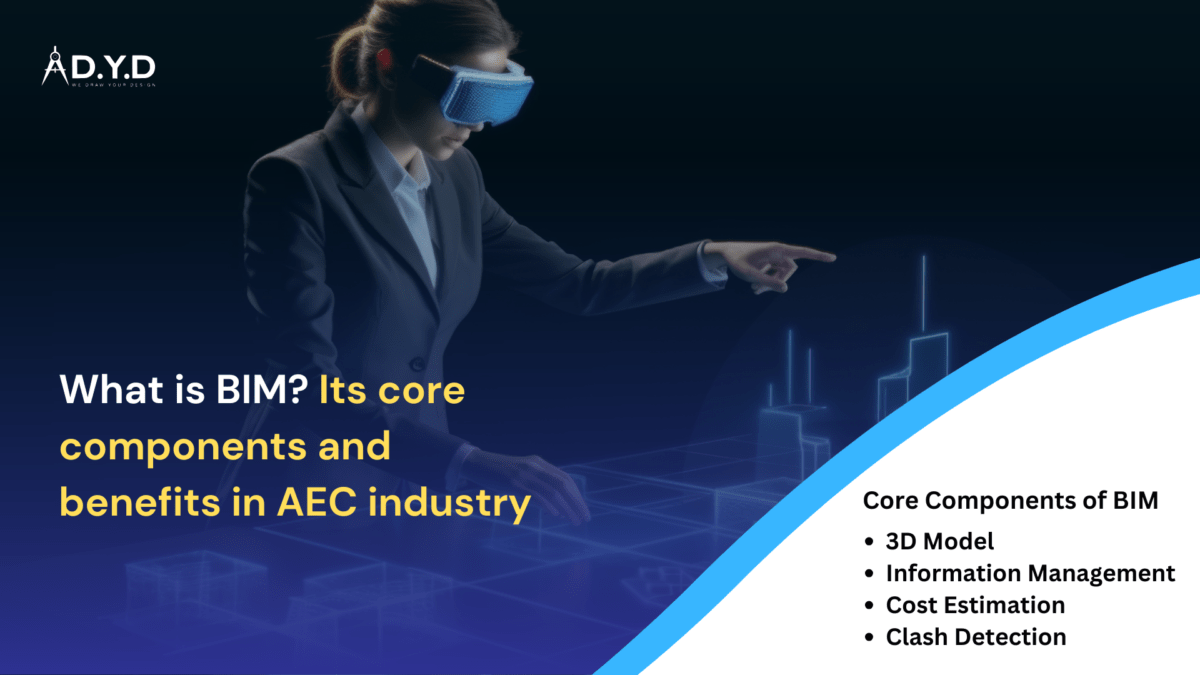
    Core Components of BIM:

    BIM encompasses several key components that make it a powerful tool for architecture design and construction. Let’s take a closer look at some of these elements:

    3D Model

    BIM is supported by the 3D model, a digital representation of a building. Not only does it show physical structure, but it also includes data for materials, dimensions, and performance characteristics. Using this comprehensive 3D modeling, architects and engineers can see what it will look like before it’s built, see potential problems, refine plans, and coordinate better among themselves before a single shovel of dirt is turned.

    Data and Information Management

    BIM data and information management allows all essential information regarding a building project to be stored in a centralized mode. It includes material, component, and system specifications. BIM connects each object in the 3D model to detailed data that improves decision-making, decreases errors, and ensures the project team works from accurate, up-to-date information throughout the process.

    Cost Estimation

    The linking of the 3D model to detailed quantities, materials, and labor costs makes BIM useful in estimating accurate costs. With the data generated by the model, project teams are able to make very precise cost projections and track the changes throughout the project. This dynamic cost estimation allows one to control budgets, avoid cost overruns, and identify cost-saving opportunities by suggesting alternative materials or methods.

    Clash Detection and Simulation

    Probably the most valuable feature of BIM is clash detection. It automatically identifies the potential conflicts between different building systems (structural elements interfering with plumbing or electrical systems). BIM helps avoid costly delays in construction by solving these issues early in the design process.

    The Future of Building Information Modeling:

    The future of BIM is incredibly promising. As technology continues to advance, BIM will become even more powerful and accessible. Here are some trends to watch for:

    Integration with Artificial Intelligence (AI)

    BIM looks to machine learning and AI for making the most of these advances, automating the boring stuff so designers can focus on innovation, and predicting project outcomes with greater accuracy. Such a reduction in design time would significantly shorten and improve decision-making.

    Virtual Reality (VR) and Augmented Reality (AR)

    BIM is already hybridizing with VR and AR, and as they begin to integrate, clients and project teams can start walking through digital models in immersive experiences. These technologies give a more tangible understanding of the design and are able to identify problems that are not visible on a traditional screen.

    Increased Adoption of Cloud-Based BIM

    The growth in cloud-based BIM platforms will allow teams to collaborate on projects no matter where they are located. Cloud platforms also bring improvements to data storage, security, and version control so that everybody works with the most up-to-date information.

    Conclusion:

    By continuing to integrate, collaborate, and be more accurate, Building Information Modeling (BIM) is transforming the architecture, engineering, and construction (AEC) industries through building design and construction. BIM is fast becoming the standard in modern construction projects, offering its capability to streamline workflows, reduce errors, and optimize the use of resources.

    BIM will continue to evolve as the technology progresses, extending its benefits to the architecture design and construction process more and more, making it a must for anyone in the architecture design or construction field. If this is your first time learning about BIM or you’re trying to expand your knowledge of the technology, now is the best time to embrace the technology.


    FAQs:

    What is Building Information Modeling (BIM)?

    BIM is a digital process used in architecture, engineering, and construction to create and manage a building’s information throughout its lifecycle using 3D models.

    Why is BIM important in construction projects?

    BIM improves collaboration, reduces errors, enhances project visualization, and streamlines workflows, resulting in cost and time savings.

    Is BIM only for large-scale projects?

    No, BIM can be used for projects of all sizes, from small residential buildings to large infrastructure projects.

    What software is commonly used for BIM?

    Popular BIM software includes Autodesk Revit, ArchiCAD, Bentley Systems, and Vectorworks, among others.

    Does BIM support sustainable building practices?

    Absolutely! BIM allows for energy simulations and material optimization, promoting eco-friendly construction methods.